For my internship and bachelor project at AP Hogeschool , I developed LOVAP, a web-based activity management system for Sint-Maarten Bovenschool in Beveren. It replaces an older system used to manage school activities, offering a modern interface, improved security, and full integration with Smartschool .
What is LOVAP?
LOVAP is a web system I developed for Sint-Maarten Bovenschool to manage activity requests in a more structured and reliable way. Teachers can create requests for things like museum visits or workshops, including details such as classes, times, locations, and costs. Admins can then review, approve, or reject these requests, all communication happens through Smartschool messages. The system also includes a Power BI dashboard to help staff get a clear overview of all activities, relevant data and interesting insights throughout the school year.
Why LOVAP?
Before LOVAP, teachers submitted activity requests through a basic and unsecured form, with communication still going through email, while the entire communication goes through Smartschool. This caused delays, errors, and frustration.
LOVAP solves these issues by:
- Enforcing authentication via Smartschool
- Validating inputs before submission
- Automating notifications and approvals
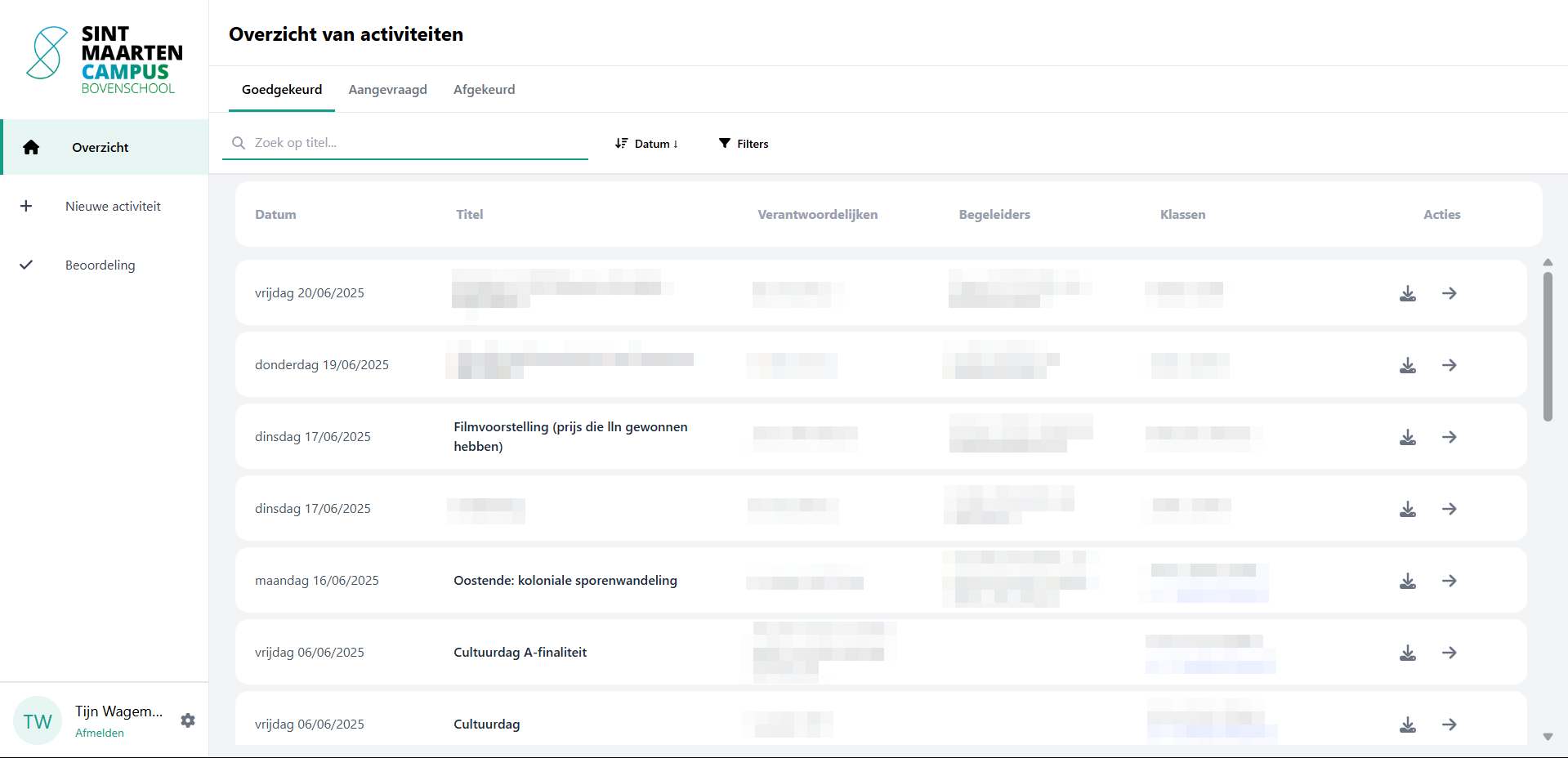
- Offering useful overviews and filters for staff
- Providing insights through a statistics dashboard powered by Power BI
Key Features
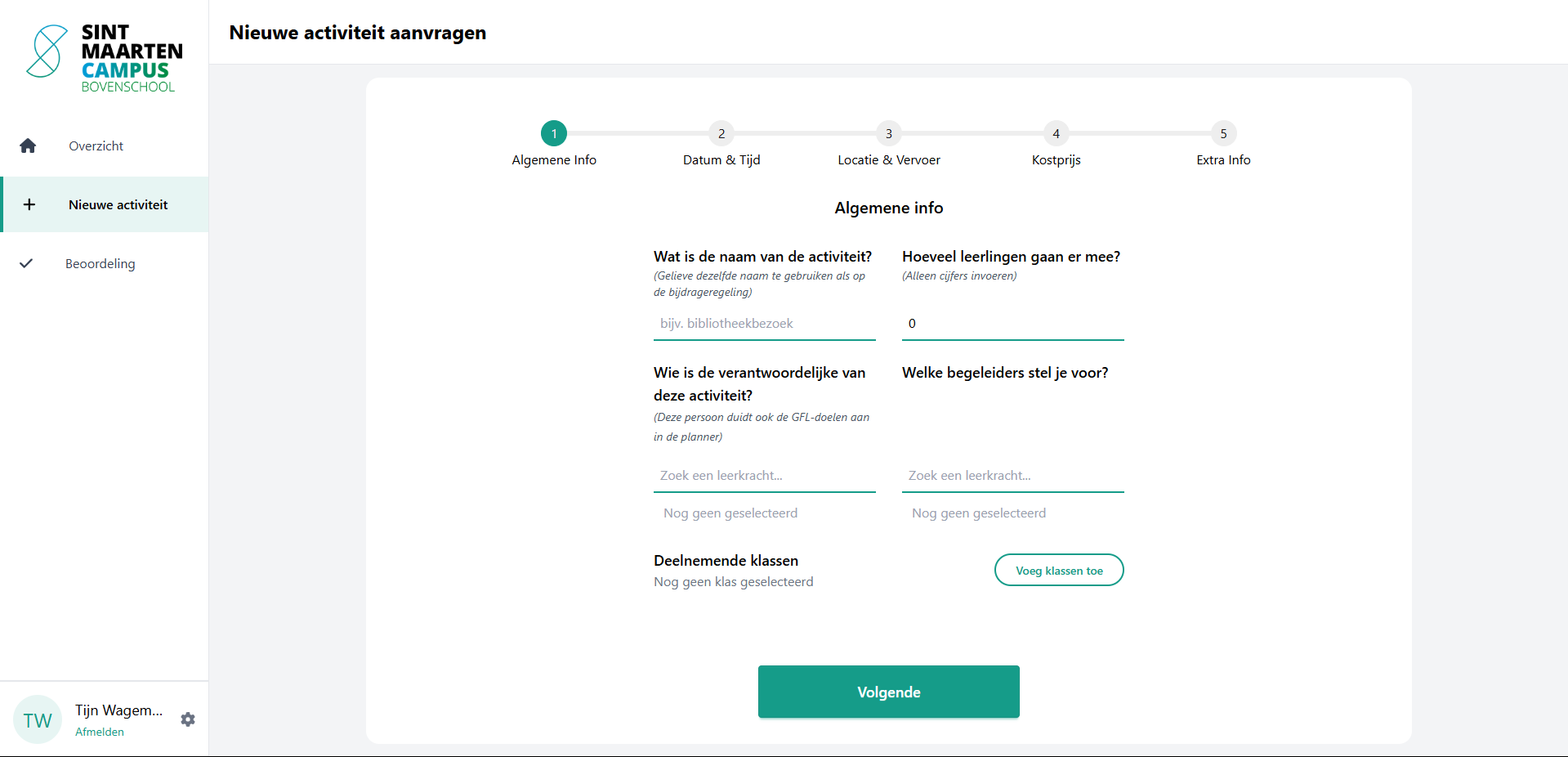
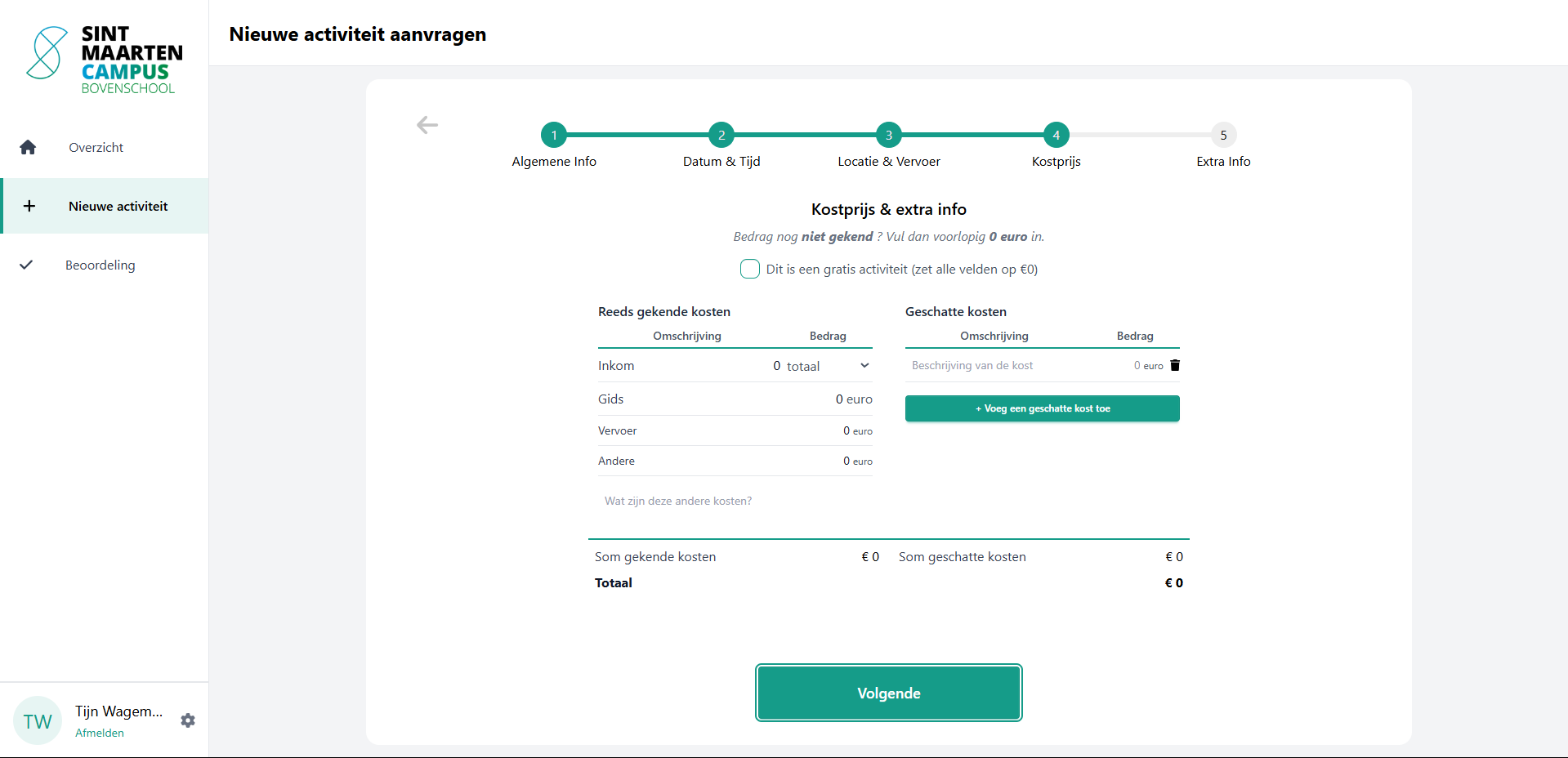
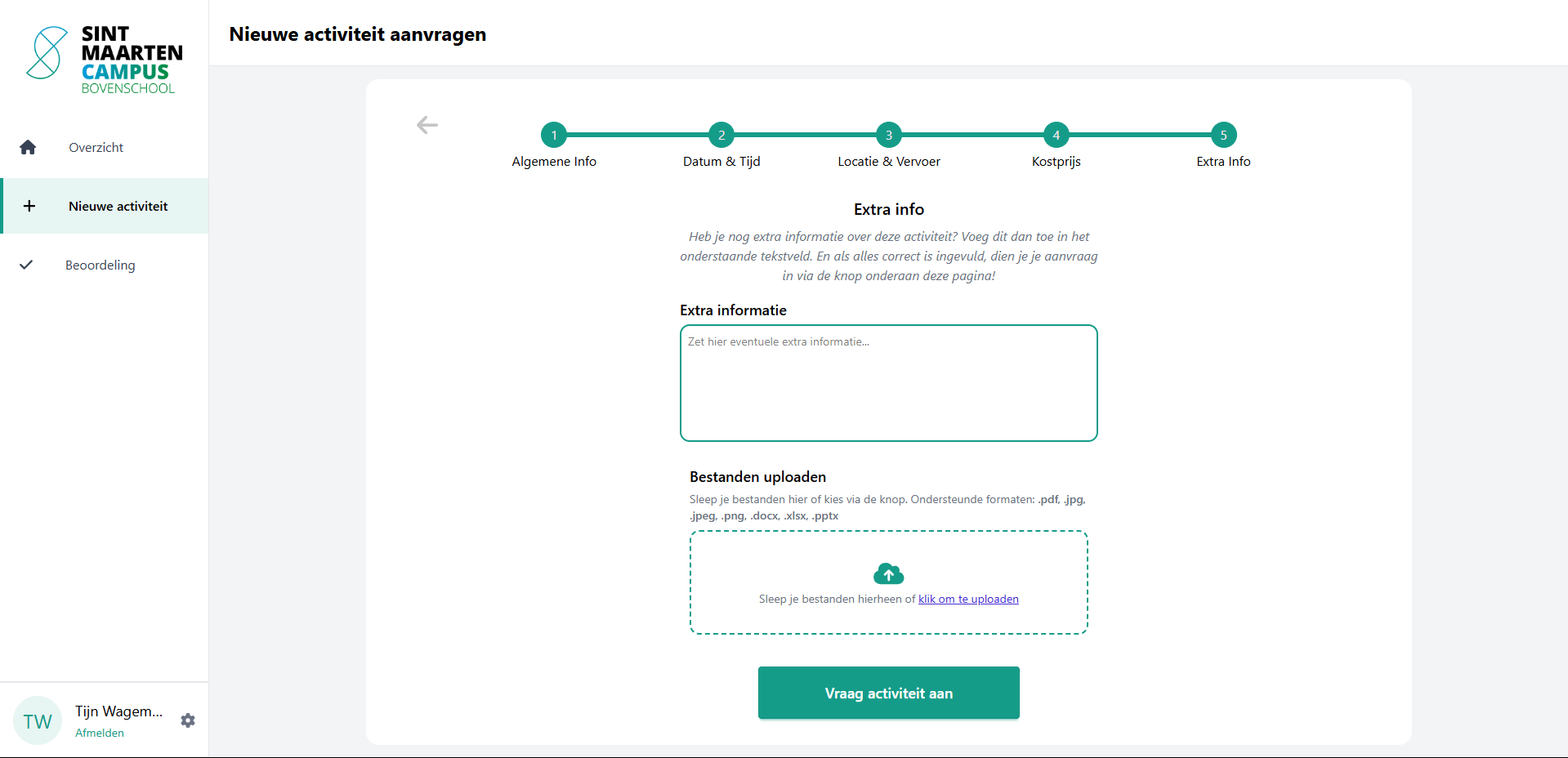
1. Request Activities
Teachers can create detailed requests, including:
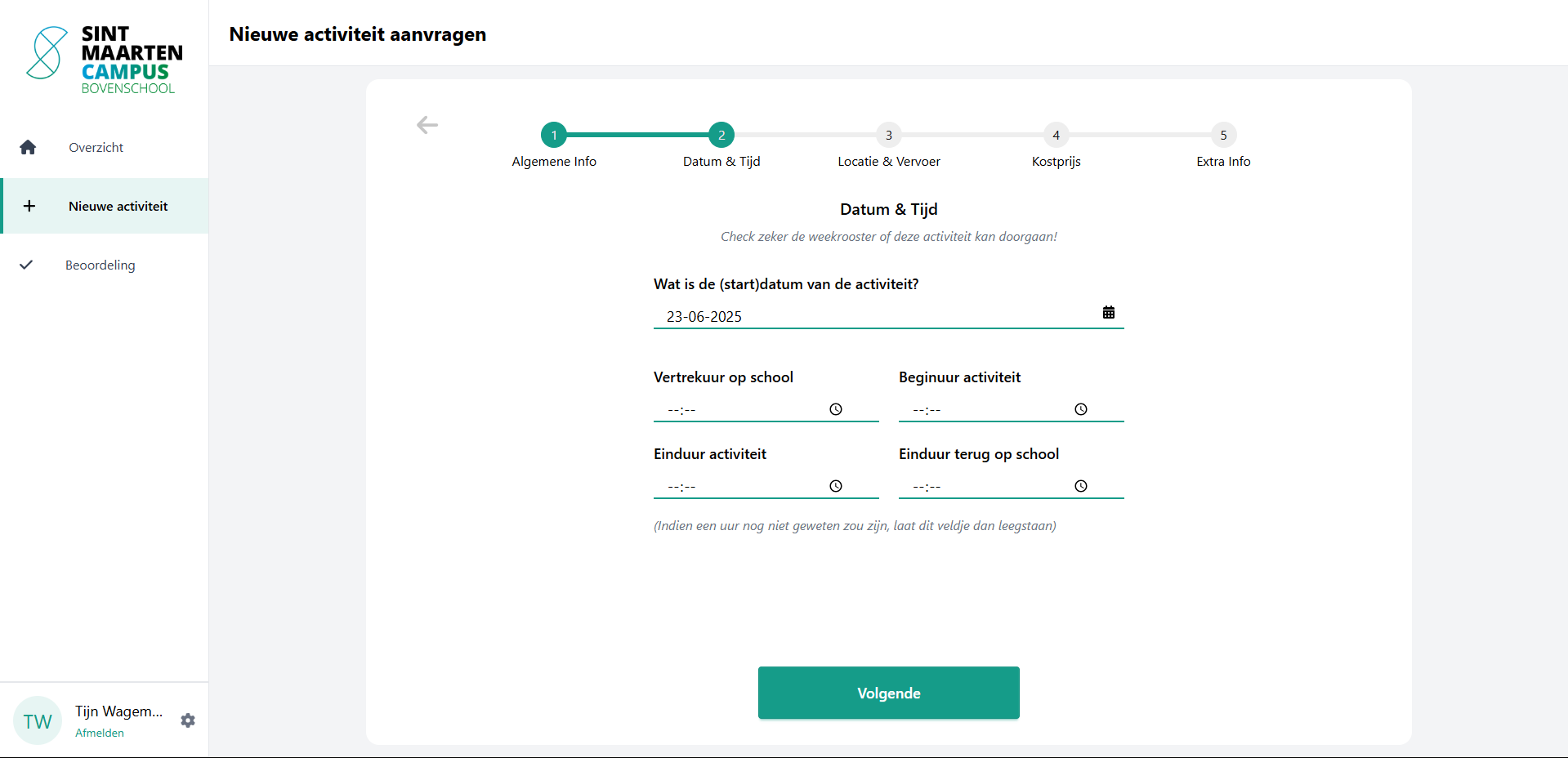
- Title, date, and time
- Classes involved
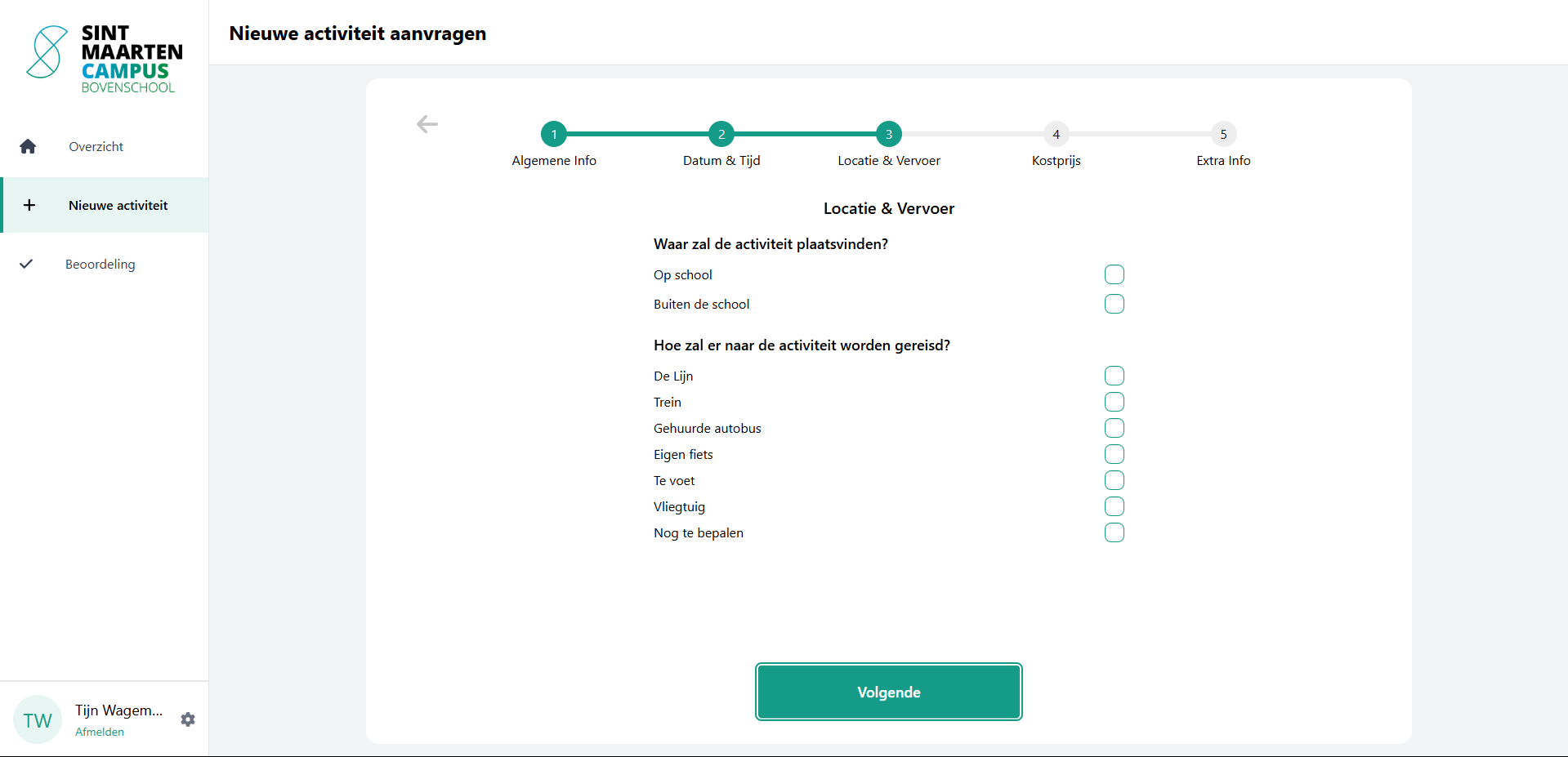
- Costs and location
- Responsible teachers and supervisors
- Extra notes and context
A multi-step form guides the user through this process.
2. Role-Based Access
Access and features are based on user roles:
- Teachers: can request and view activities
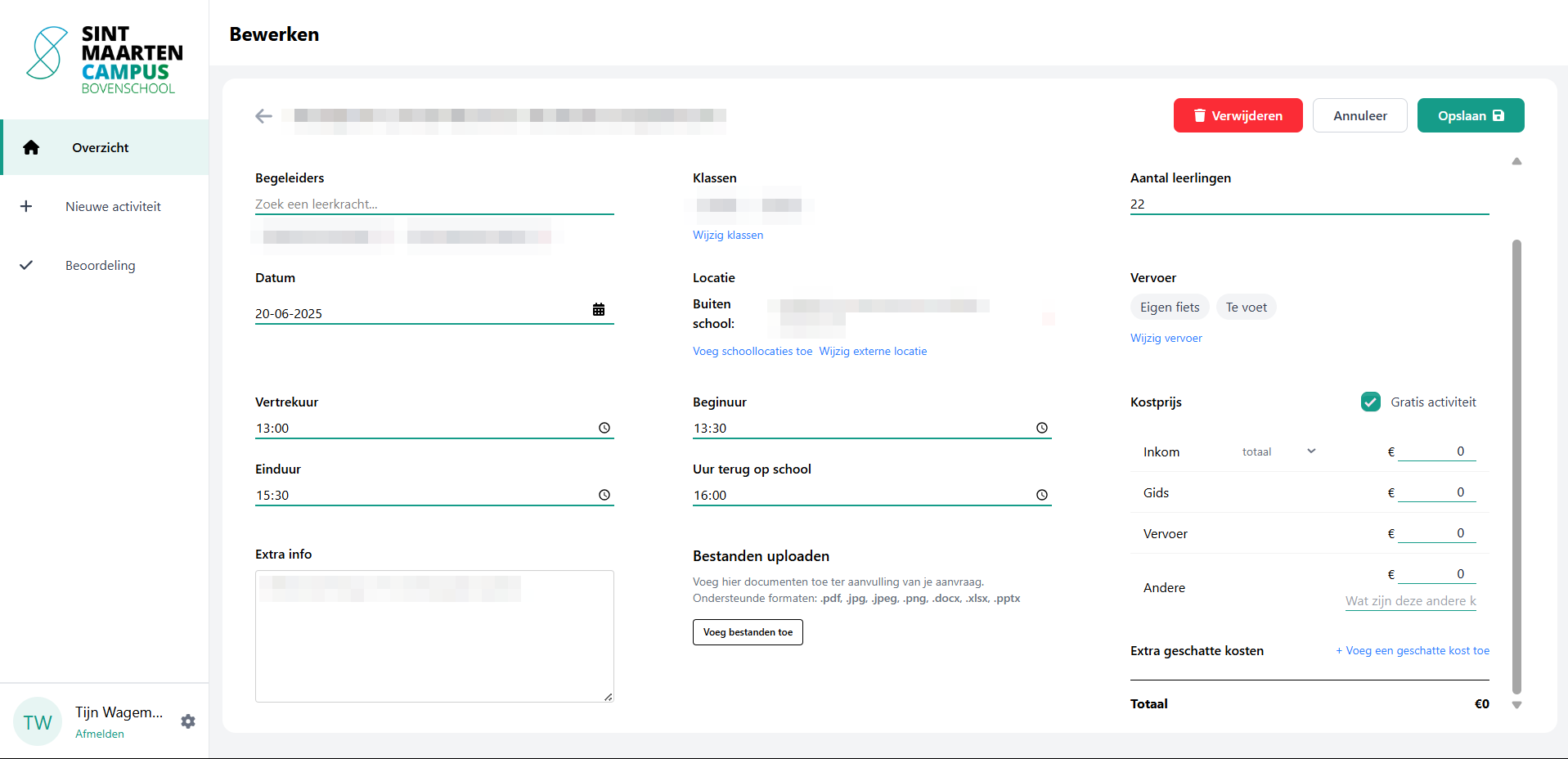
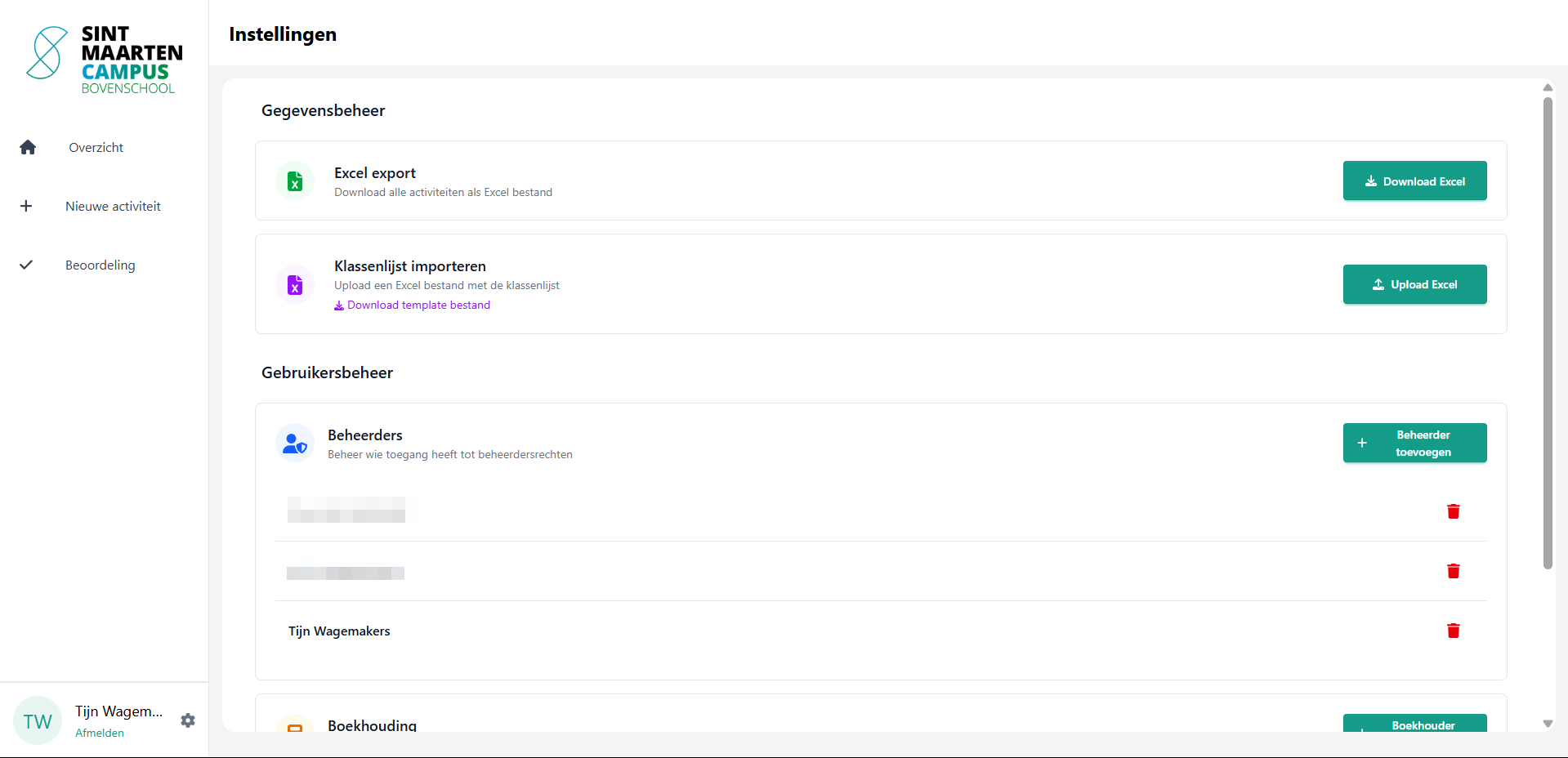
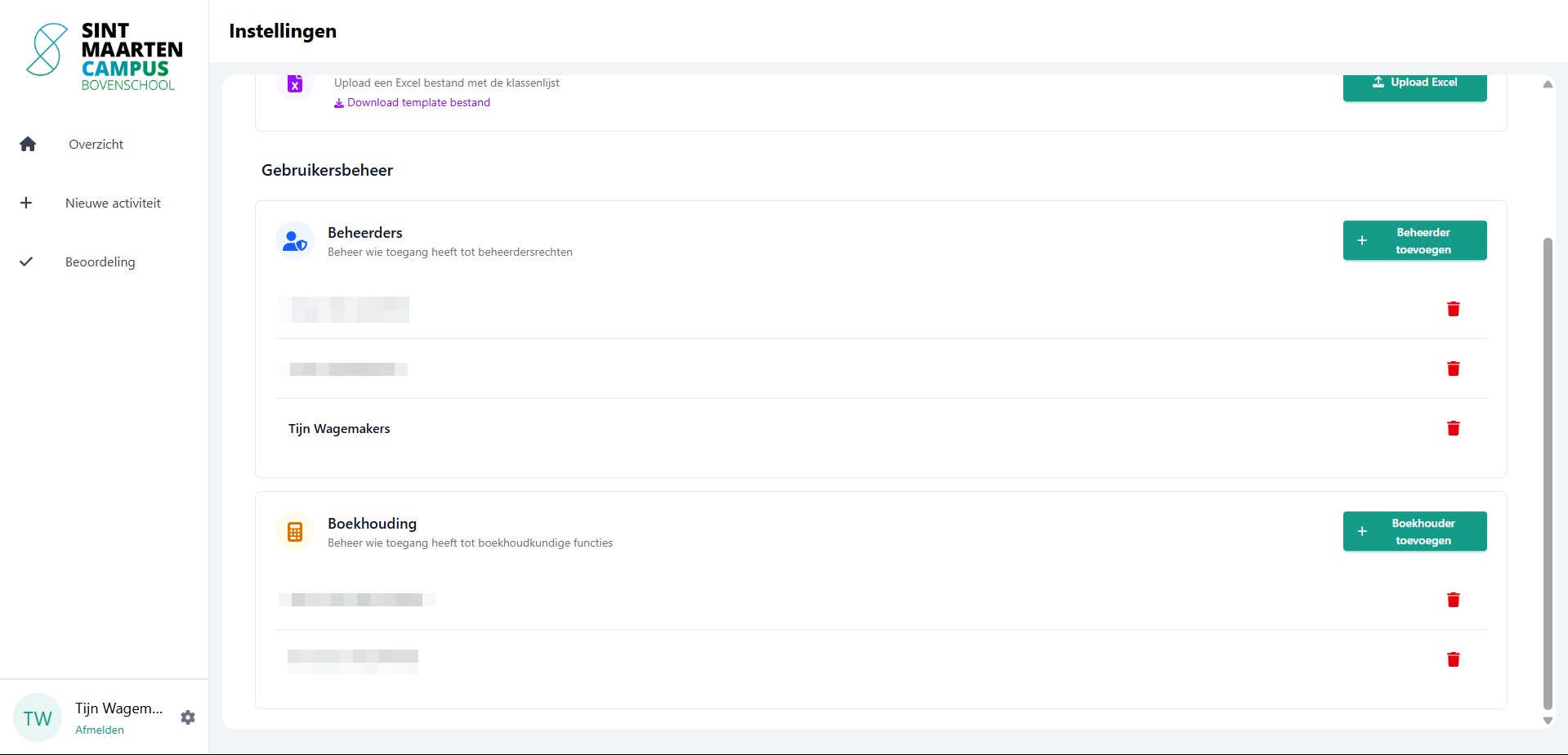
- Admins: can approve, reject, and edit any activity
- Bookkeeping: has access to financial overviews and statistics
3. Smartschool Integration
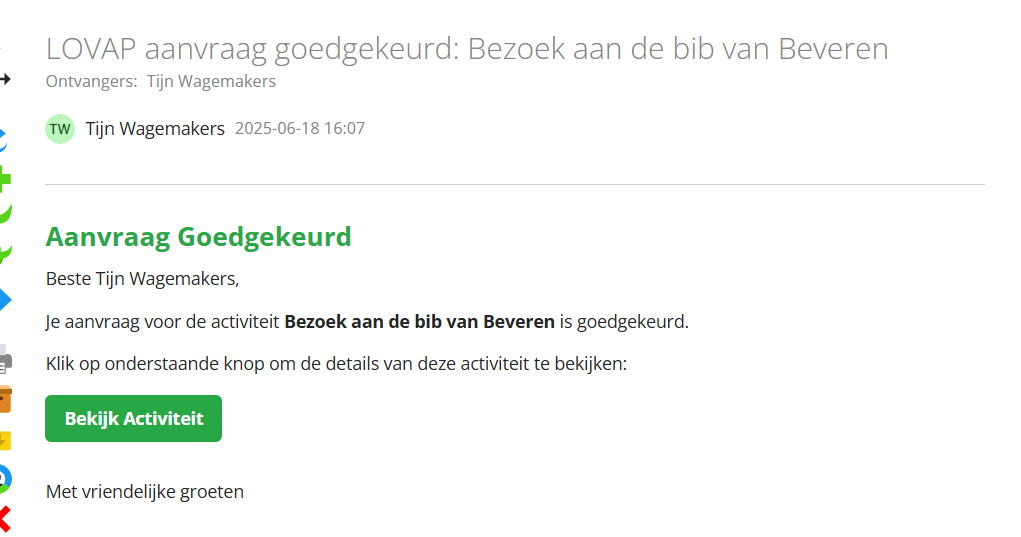
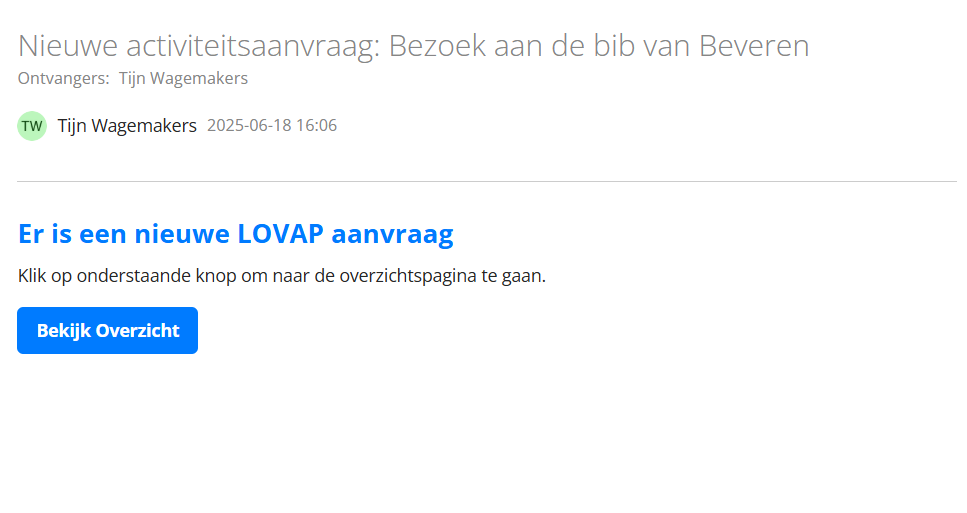
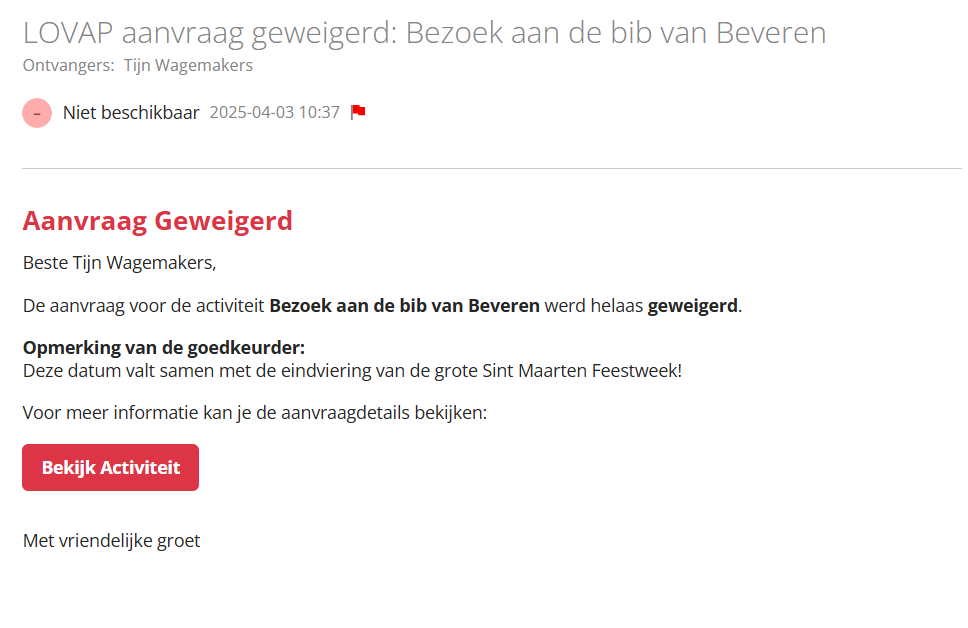
All communication (approvals, rejections, reminders) happens through Smartschool messages. No more lost emails.
4. Statistics and Insights
Admins can filter by class, year, or status, and view trends in activity volume, cost breakdowns, and many more information using Power BI visualizations.
Tech Stack
- Frontend: Angular 19 + TailwindCSS + DaisyUI
- Backend: ASP.NET Core with CQRS (via MediatR)
- Database: SQL Server (EF Core)
- Authentication: Smartschool OAuth 2.0
- Deployment: Windows Server 2025 with IIS
- Reporting: Power BI Gateway
Development Highlights
Smartschool API Integration
One of the most challenging but rewarding parts was integrating with Smartschool’s SOAP API. This includes secure login, user data syncing, and message sending.
We obtain all the teachers from Smartschool. But because the API is extremely slow (ex. retrieving all teachers (192 people) can take up to 3 seconds), we cache the data in our database and update it every 24 hours. This way, we can quickly access teacher data without hitting the API every time.
Dynamic Class Upload
Admins can upload an Excel file at the start of the school year to set up classes. The system validates structure, prevents duplicates, and logs uploads.
Flexible PDF Generator
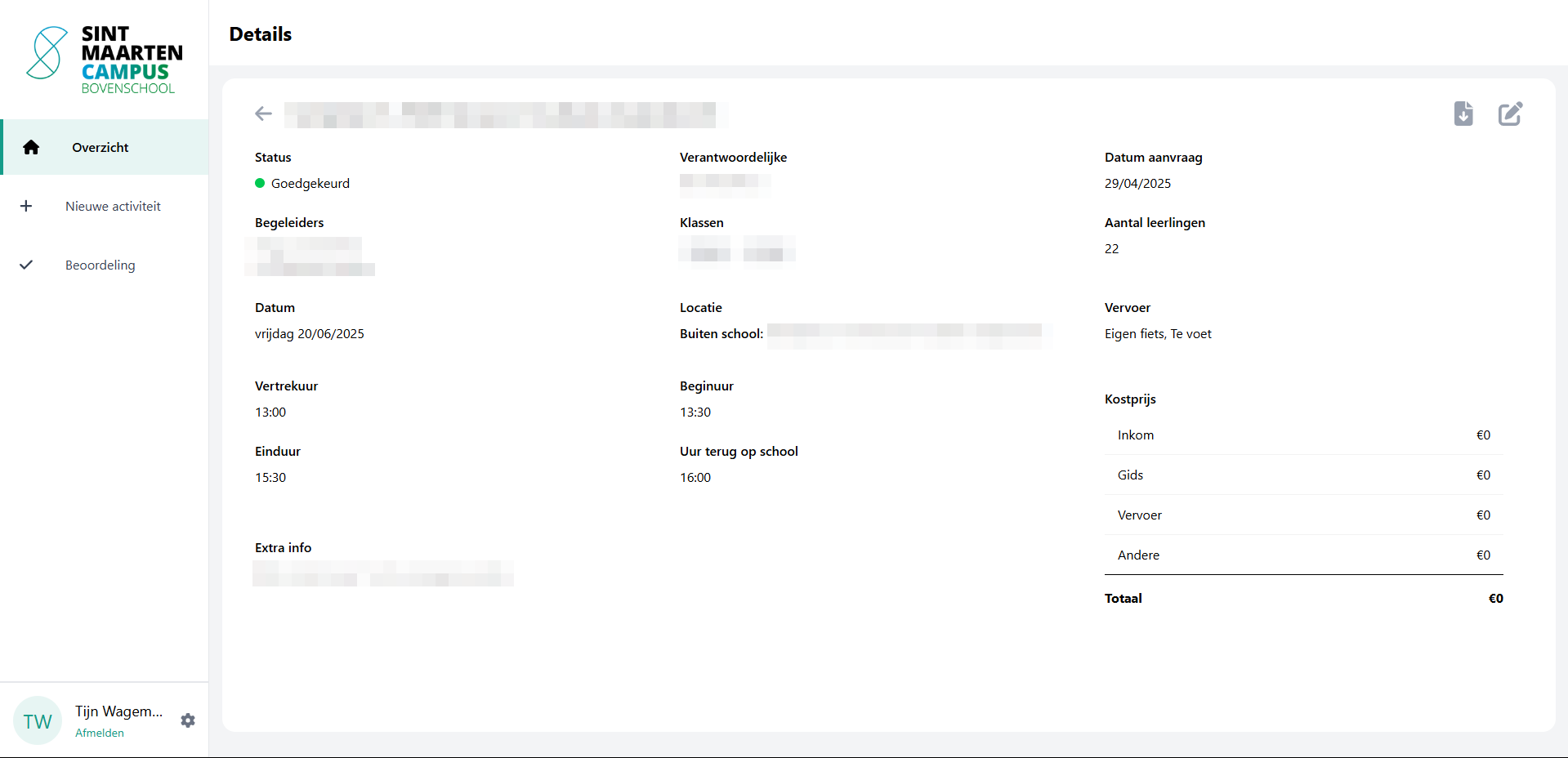
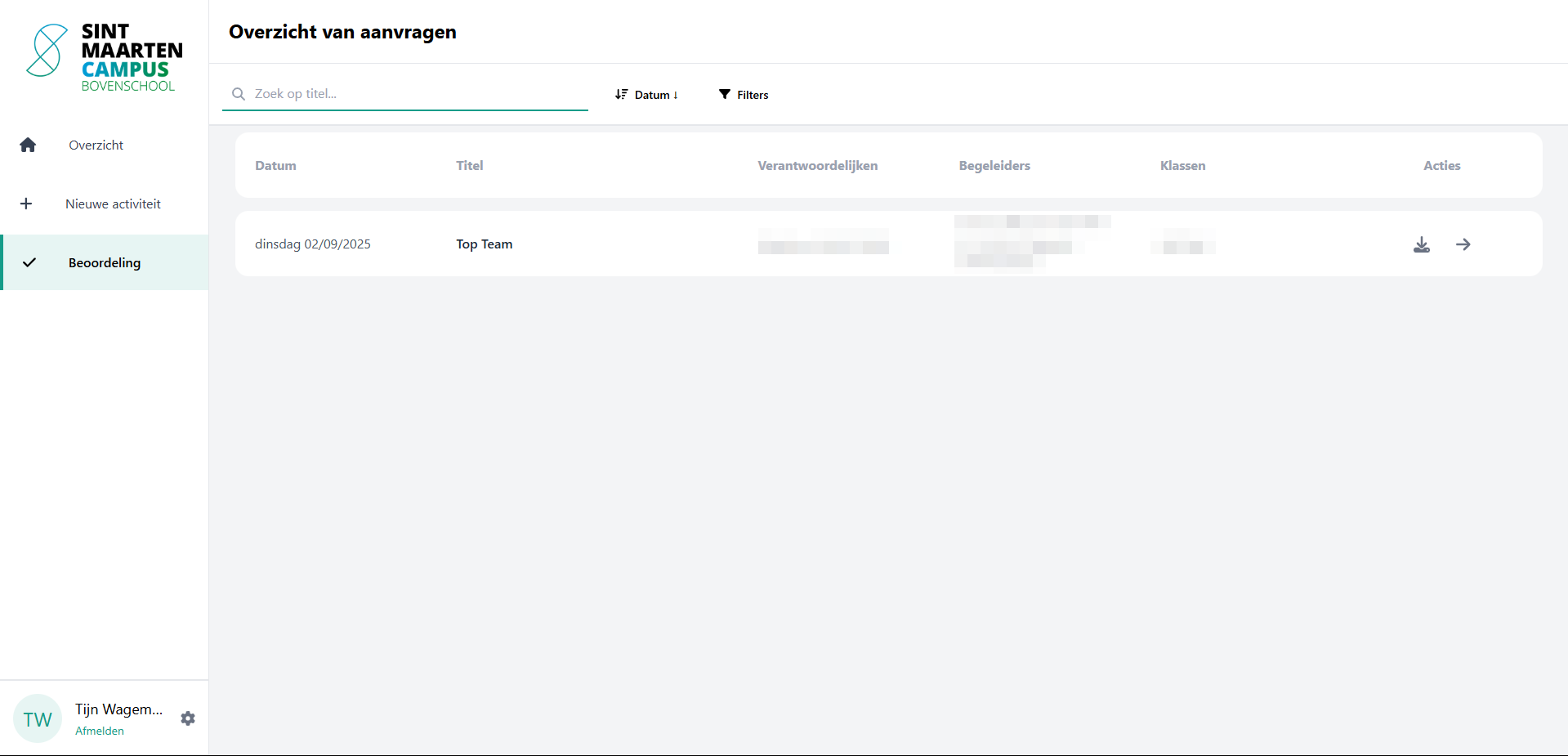
When an activity is approved, the system automatically generates a styled PDF with all details. It can be downloaded at any time by the teacher.
Challenges
- Handling Smartschool’s less-than-modern API
- Managing role-based access both in frontend (guards) and backend (policy-based)
- Ensuring good performance with growing activity data
- Building a clear UI that works for all staff, even those less comfortable with digital tools
- Ensuring the application works reliable for many years to come, since there won’t be any updates or bugfixes after the project is done.
Outcome
LOVAP has been in production at Sint-Maarten Bovenschool since April 2025 and is actively used by over 150 teachers and staff members. Feedback has been positive, especially around the clarity of the form, ease of approval, and the reliability of the notifications.
Screenshots
(Obviously, for privacy reasons, I cannot just share all the data, so i have blurred some sensitive information in the screenshots below)
Activity Overview Page
Activity Request Form (multi-step)
Activity Details Page (including editing)
Admin Overview
Admin settings page
Smartschool Messages
Possible Future Improvements
- Add notifications/reminders for upcoming activities
- Implement a calendar view for activities/integrate with existing smartschool calendar
- Implement a way to resubmit rejected requests with changes
- Make class setup fully automated via Smartschool API (removing Excel step)
Code & Docs
This project is not public, if you’re interested in technical details or implementation decisions, feel free to connect with me on LinkedIn and send me a message there!